Google Gemini AA 23 Theme Photo Editing Prompts
Google Gemini AI has become one of the most popular tools for AI photo editing and image generation. Among the latest trends, AA 23 theme photo editing prompts are gaining massive popularity on social media platforms like Instagram and WhatsApp.
These prompts help users create stylish, cinematic, and viral photos using simple text instructions. In this blog, you’ll learn what the AA 23 theme is and how to use Google Gemini AA 23 theme photo editing prompts easily.
Google Gemini AA 23 Theme Photo Editing Prompts
Below are some simple and trending AA 23 theme prompts you can use in Gemini AI.

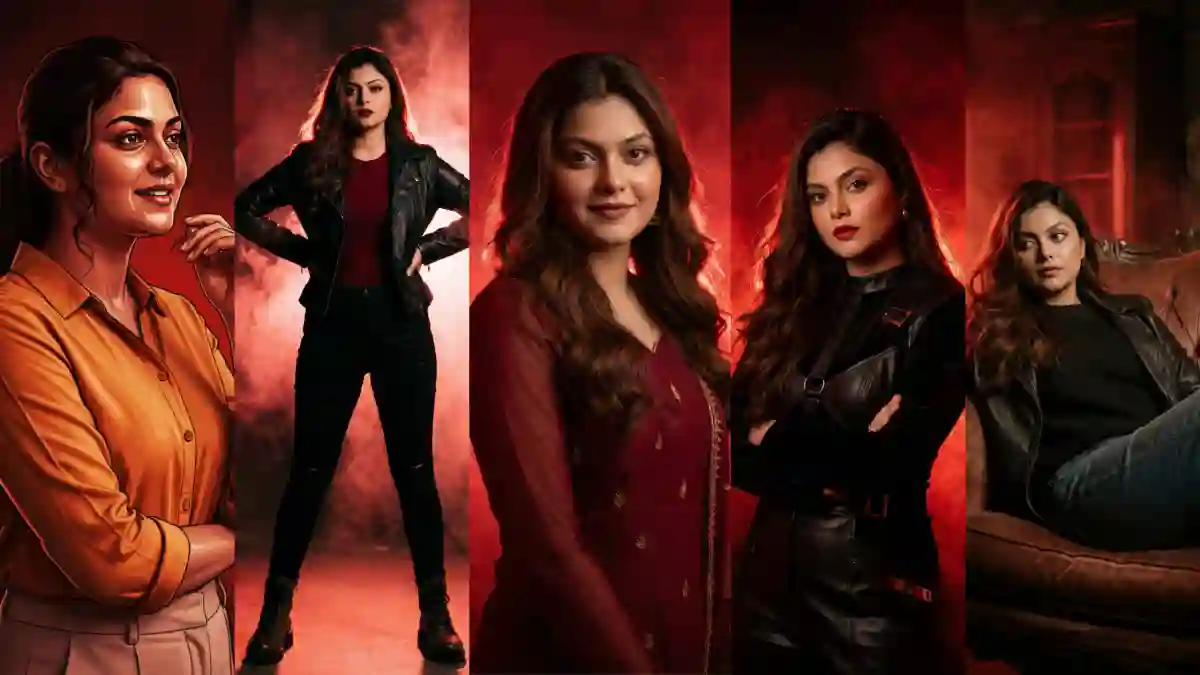
Prompt 1: Cinematic Red Power Portrait
"Create an ultra-realistic cinematic portrait of a confident woman in a powerful pose.
The entire scene is dominated by deep red and black color grading, with intense contrast and dramatic shadows.
Background is a textured red smoke or fog wall, glowing subtly behind the subject.
Strong rim lighting outlines her silhouette, with soft frontal light shaping the face.
Fashion-forward outfit in dark tones, elegant yet bold.
Moody, high-fashion editorial style, dramatic atmosphere, cinematic color grading, ultra-detailed, 4K–8K quality."

Prompt 2: Red Monochrome Editorial Fashion Shot
"A high-end editorial fashion portrait in a monochrome red palette.
Subject stands confidently, relaxed but commanding body language.
Background is abstract, smoky, and textured, blending seamlessly into deep crimson tones.
Lighting is cinematic and directional, with glowing highlights and rich shadows.
Skin tones preserved but tinted with warm red ambience.
Luxury magazine look, dramatic mood, studio photography, cinematic realism, sharp focus."

Prompt 3: Dramatic Red Lifestyle Portrait
"Create a cinematic lifestyle portrait of a woman in a casual yet stylish outfit, seated or leaning naturally.
The environment is transformed into a dark red cinematic world with glowing fog, grain, and texture.
Lighting feels like a movie still — moody, soft highlights, strong depth.
Expression is calm, confident, and introspective.
Red-black color grading, subtle film grain, shallow depth of field, editorial realism."

Prompt 4: Regal Red Traditional Portrait
"Ultra-realistic cinematic portrait of a woman wearing a traditional outfit, styled elegantly.
The scene is bathed in rich crimson and dark amber tones, with a glowing red textured background.
Jewelry and fabric catch soft highlights, creating a regal and powerful presence.
Lighting is warm, dramatic, and directional, enhancing depth and contrast.
Royal cinematic mood, high-end editorial portrait, dramatic storytelling, ultra-sharp detail."

Prompt 5: Urban Red Cinematic Full-Body Shot
"A full-body cinematic portrait of a woman standing confidently in an urban or studio setup.
Entire image is color-graded in intense red and black, with smoky atmospheric effects.
Strong backlight and rim light create a glowing outline around the subject.
Outfit is modern and bold, attitude-driven pose.
Film-still quality, cinematic realism, dramatic shadows, high contrast, professional photography style."

Prompt 6: Cinematic Shot
"Create a dramatic cinematic studio portrait of a confident Indian woman standing in an elegant pose.
She is wearing a dark maroon / deep red traditional outfit with sheer long sleeves and subtle embroidery.
The subject is smiling softly, looking directly at the camera, with natural expressive eyes and smooth skin texture. Lighting is high-contrast cinematic, with strong red rim light outlining her silhouette and soft frontal key light shaping the face. The entire scene is bathed in deep red tones, creating a powerful monochrome red atmosphere. Background is a textured red smoke or fog backdrop, glowing and diffused, adding depth and drama. Hair is softly styled with natural waves, gently illuminated by backlight.Ultra-realistic photography, studio quality, shallow depth of field, crisp focus, high dynamic range, cinematic color grading, dramatic mood, editorial portrait style, 4K–8K resolution."

Prompt 7: Cinematic Lifestyle Portrait
"Maintain the exact face identity, hairstyle, expression, skin tone, and pose with zero distortion. Transform the entire scene into a deep red high-contrast Tamil gangster movie poster style. Replace the background with red gradients, smoky atmosphere, and subtle textures. Add bold comic book shading, thick outlines, strong black shadows, and glossy highlights on the skin and clothes. Stylize the outfit with richer tones, clean folds, and dynamic lighting while keeping the original clothing design. Add intense highlights to the jawline, cheekbones, and edges of the body. Maintain the original pose and attitude. Create a gritty, powerful cinematic mood with dramatic lighting and high contrast. Ultra-detailed sharp lines, vibrant red atmosphere, action movie poster energy, 4K illustration."
How to Use Google Gemini AA 23 Prompts
Follow these simple steps:
-
Open Google Gemini AI
-
Upload your photo if required
-
Copy one AA 23 theme prompt
-
Paste it into Gemini AI
-
Generate and download your edited photo
Tips for Best AA 23 Theme Results
-
Use clear and high-quality photos
-
Choose simple backgrounds
-
Keep prompts short and specific
-
Try different lighting styles
-
Always generate multiple versions
Final Words
Google Gemini AA 23 theme photo editing prompts are perfect for creating modern, stylish, and viral images using AI. Whether you want Instagram posts, reels thumbnails, or profile pictures, these prompts help you achieve professional-quality results with ease.
Try these Google Gemini AA 23 theme photo editing prompts today and upgrade your AI photo editing experience.
💡 Found this helpful? Like the article!
Want More?
✨ Browse 100+ AI Prompts for Free
Top Instagram Trending Prompts 2026: Viral AI Prompts for Reels, Photos & Posts
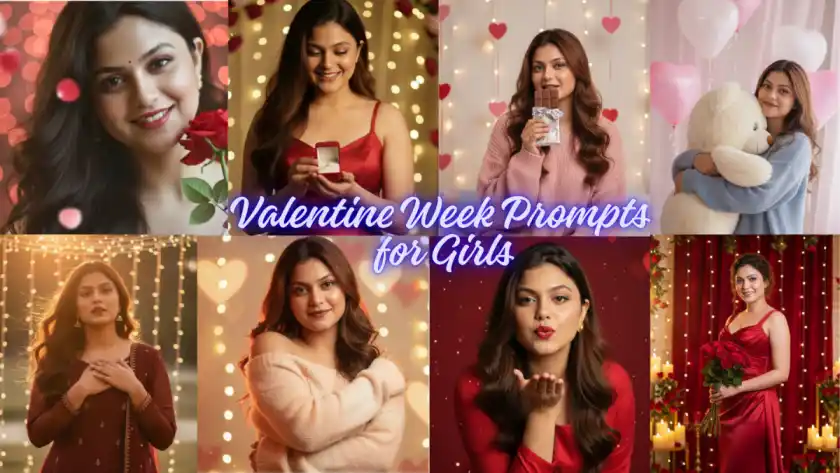
Valentine Week Prompts for Girls – Creative Image Ideas for All 7 Days of Love
Discussions (0)
Be the first to start the discussion!