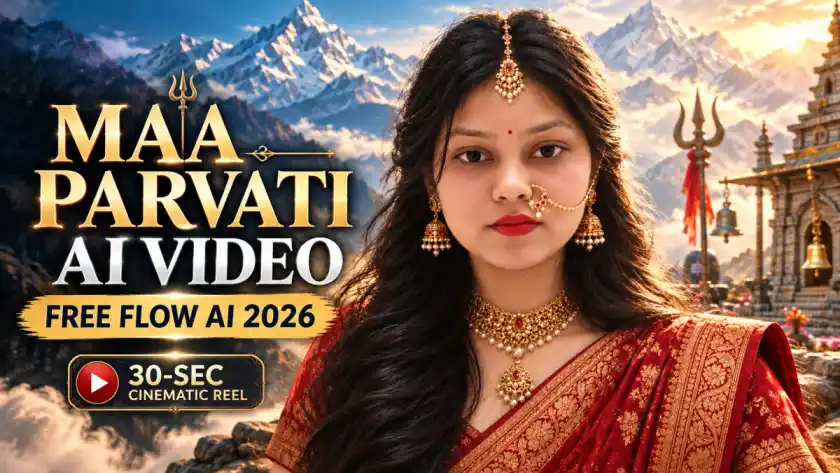
Maa Parvati AI Video Editing Prompt: Create a Divine Cinematic Video from Your Photo
Want to transform an ordinary selfie into a stunning Maa Parvati-inspired AI video? With the right AI photo and video prompts, you can turn your own picture into a cinematic devotional-style transformation featuring a traditional red saree, beautiful gold jewellery, flowing hair, snowy Himalayan landscapes, divine lighting, and dramatic cinematic effects.
The best part is that you don't need professional video-editing skills. You can first create the transformation image with an AI image generator and then use Google Flow to animate the image into multiple short video scenes.
In this guide, you'll find a ready-to-use Maa Parvati AI photo prompt, three cinematic video prompts, complete instructions, useful tips, common mistakes, and FAQs.
What Makes the Maa Parvati AI Video Special?
The Maa Parvati-inspired transformation combines traditional Indian styling with cinematic AI visuals. The deep-red saree, golden jewellery, flowing black hair, Himalayan mountains, misty atmosphere, and dramatic lighting create a divine fantasy look.
You can also combine the generated clips with a devotional song during editing to create a more emotional Instagram Reel, YouTube Short, or Facebook Reel.
The important part is using a good reference photograph and keeping the character's facial identity consistent throughout the different scenes.
Maa Parvati AI Photo Prompt
Before creating the video, generate a suitable AI image from your own photograph.
Upload a clear photo where your face is easily visible and use this prompt:

Prompt: Transform my uploaded photo into a divine Maa Parvati-inspired portrait. Keep my face, identity, facial features and skin tone
unchanged and realistic. Give me long flowing black hair, traditional golden maang tikka, nath with chain, elegant gold jewelry,
and a rich deep-red saree with intricate golden borders. Add a majestic Himalayan background with soft blue mountains, mist and
heavenly cinematic lighting. Calm, powerful divine expression, photorealistic, ultra-detailed, natural skin and realistic textures,
cinematic 4:5 portrait.
Tips for the Reference Photo
For a better result, use:
-
A clear, high-quality photograph
-
A mostly front-facing pose
-
Good lighting on your face
-
Minimal blur
-
A face that isn't covered by hair or accessories
-
A photo with enough space around the head and shoulders
The quality of your reference image can have a major effect on the final AI transformation.
How to Create the Maa Parvati AI Image
Follow these simple steps:
-
Open ChatGPT or another AI image-generation tool.
-
Start a new conversation.
-
Upload your clear reference photograph.
-
Copy the Maa Parvati photo prompt from above.
-
Paste the prompt along with your image.
-
Generate the image.
-
Check the face, jewellery, saree and Himalayan background.
-
If something doesn't look right, ask the AI to make another version.
-
Once you're happy with the result, save the generated image.
-
Use the final image as the starting point for your AI video.
Maa Parvati AI Video Prompts for Google Flow
Now comes the exciting part: converting the still image into a cinematic video.
Instead of trying to create a 30-second video in one generation, create three separate 10-second clips and combine them later.
This gives you more control over the story, camera movement and character consistency.
The three scenes are:
-
Scene 1: Himalayan glacier and sage introduction
-
Scene 2: Maa Parvati-inspired temple dance
-
Scene 3: Powerful Bholenath reveal
Video Prompt 1 — Opening Scene | 0–10 Seconds
Use the generated Maa Parvati image as the starting frame.
This scene introduces the Himalayan environment, the trishul, the woman and the approaching sage.

Prompt: { "video_generation_project": { "title": "Mythological Cinematic Sequence - Frame by Frame", "total_duration": "30
seconds", "global_instructions": { "aspect_ratio": "9:16", "resolution": "1080x1920", "visual_style": "Photorealistic, Cinematic, 8k,
High-Fantasy Mythology, dramatic lighting, highly detailed textures", "face_swap_instruction": "CRITICAL: Use the provided
reference image for the female protagonist's face in all specified frames. Maintain strict facial consistency, bone structure, and
skin texture." }, "parts": [ { "part_number": 1, "time_range": "0-10 seconds", "scene_title": "The Trident in the Ice and the Sages'
Arrival", "frame_by_frame_prompts": [ { "time": "0-1", "prompt": "Macro close-up shot of a metallic, ancient, and weathered trident
(trishul) stuck deeply into cracked, clear blue ice. Frost and snow particles around the base. Cold, diffused natural lighting. 8k
resolution, photorealistic." }, { "time": "1-2", "prompt": "Slow camera tilt up from the trident. The rich, heavily specified frames.
Maintain strict facial consistency, bone structure, and skin texture." }, "parts": [ { "part_number": 1, "time_range": "0-10 seconds",
"scene_title": "The Trident in the Ice and the Sages' Arrival", "frame_by_frame_prompts": [ { "time": "0-1", "prompt": "Macro
close-up shot of a metallic, ancient, and weathered trident (trishul) stuck deeply into cracked, clear blue ice. Frost and snow
particles around the base. Cold, diffused natural lighting. 8k resolution, photorealistic." }, { "time": "1-2", "prompt": "Slow camera
tilt up from the trident. The rich, heavily embroidered deep red fabric of a sari enters the bottom of the frame. Blurred snowy
mountain peaks in the background. Cinematic depth of field." }, { "time": "2-3", "prompt": "Camera continues tilting up to reveal
the face of a beautiful Indian woman (APPLY USER REFERENCE FACE HERE). She is looking up. Her long, dark, wavy hair is blowing
dynamically in the cold wind. She wears intricate gold jewelry." }, { "time": "3-4", "prompt": "Medium close-up of the woman
(APPLY USER REFERENCE FACE HERE). She wears a large gold nose ring (nath) and maang tikka. Her expression is a mix of awe
and sorrow. Cold, crisp rim lighting reflecting off the snow." }, embroidered deep red fabric of a sari enters the bottom of the
frame. Blurred snowy mountain peaks in the background. Cinematic depth of field." }, { "time": "2-3", "prompt": "Camera
continues tilting up to reveal the face of a beautiful Indian woman (APPLY USER REFERENCE FACE HERE). She is looking up. Her
long, dark, wavy hair is blowing dynamically in the cold wind. She wears intricate gold jewelry." }, { "time": "3-4", "prompt":
"Medium close-up of the woman (APPLY USER REFERENCE FACE HERE). She wears a large gold nose ring (nath) and maang tikka.
Her expression is a mix of awe and sorrow. Cold, crisp rim lighting reflecting off the snow." }, { "time": "4-5", "prompt": "Wide
tracking shot. A group of ascetics in simple, flowing white robes walking in a single file line across a vast, frozen Himalayan glacier.
Majestic, snow-capped mountains in the distance. Overcast sky." }, { "time": "5-6", "prompt": "Medium shot focusing on the lead
elder sage. He has a long, flowing white beard and hair, wearing white robes. He walks with a purposeful, divine stride across the
ice. Photorealistic textures on the fabric." }, { "time": "6-7", "prompt": "Over-the-shoulder shot from behind the woman (APPLY
USER REFERENCE FACE HERE), looking at the approaching elder sage. The red fabric of her sari is in the foreground. Shallow
"time": "4-5", "prompt": "Wide tracking shot. A group of ascetics in simple, flowing white robes walking in a single file line across a
vast, frozen Himalayan glacier. Majestic, snow-capped mountains in the distance. Overcast sky." }, { "time": "5-6", "prompt":
"Medium shot focusing on the lead elder sage. He has a long, flowing white beard and hair, wearing white robes. He walks with a
purposeful, divine stride across the ice. Photorealistic textures on the fabric." }, { "time": "6-7", "prompt": "Over-the-shoulder shot
from behind the woman (APPLY USER REFERENCE FACE HERE), looking at the approaching elder sage. The red fabric of her sari is
in the foreground. Shallow depth of field focusing on the sage." }, { "time": "7-8", "prompt": "The elder sage stops and raises his
right hand towards the woman in a gesture of divine command or blessing. Soft, ethereal light subtly surrounds his hand.
Cinematic, mythological atmosphere." }, { "time": "8-9", "prompt": "Medium shot of the woman (APPLY USER REFERENCE FACE
HERE) looking at the sage. Her expression shifts from sorrow to deep determination. The wind picks up, blowing her hair across
her face." }, { "time": "9-10", "prompt": "Close-up of the woman's face (APPLY USER REFERENCE FACE HERE). Her eyes show
fierce depth of field focusing on the sage." }, { "time": "7-8", "prompt": "The elder sage stops and raises his right hand towards the
woman in a gesture of divine command or blessing. Soft, ethereal light subtly surrounds his hand. Cinematic, mythological
atmosphere." }, { "time": "8-9", "prompt": "Medium shot of the woman (APPLY USER REFERENCE FACE HERE) looking at the sage.
Her expression shifts from sorrow to deep determination. The wind picks up, blowing her hair across her face." }, { "time": "9-10",
"prompt": "Close-up of the woman's face (APPLY USER REFERENCE FACE HERE). Her eyes show fierce resolve. The lighting
becomes slightly more dramatic, highlighting her facial features and gold jewelry. 8k detail." } ] }
Scene 1 Tip
If the generated face doesn't look close enough to your reference, regenerate this scene before continuing. The first clip establishes the character appearance for the rest of the video.
Video Prompt 2 — Temple Dance Scene | 10–20 Seconds
For better continuity, use the final frame from Video 1 as the starting frame for this scene.
This clip creates the dramatic temple sequence with firelight, dance movements and a Shiva statue.

Prompt: { "project_title": "Mythological Cinematic Video Generation", "total_duration": "30 seconds", "global_settings": {
"aspect_ratio": "9:16", "resolution": "1080x1920", "frame_rate": "24fps", "visual_style": "Cinematic, Photorealistic, High-Fantasy
Mythology, 8k resolution, highly detailed textures, dramatic lighting", "face_swap_directive": "CRITICAL INSTRUCTION: Use the
provided reference image of the user's face. Seamlessly map the user's facial features, bone structure, and skin texture onto the
female protagonist in all relevant scenes. Maintain absolute facial consistency throughout the video." }, { "part_number": 2,
"time_range": "10-20 seconds", "scene_title": "The Fierce Dance and the Divine Gaze", "frame_by_frame_prompts": [ { "time":
"10-11", "prompt": "Quick cut. Close-up of the woman (APPLY USER REFERENCE FACE HERE). She now wears an elaborate golden
crown adorned with crescent moons. Her expression is fierce, warrior-like, and intense. Snowy 8k resolution, highly detailed
textures, dramatic lighting", "face_swap_directive": "CRITICAL INSTRUCTION: Use the provided reference image of the user's face.
Seamlessly map the user's facial features, bone structure, and skin texture onto the female protagonist in all relevant scenes.
Maintain absolute facial consistency throughout the video." }, { "part_number": 2, "time_range": "10-20 seconds", "scene_title":
"The Fierce Dance and the Divine Gaze", "frame_by_frame_prompts": [ { "time": "10-11", "prompt": "Quick cut. Close-up of the
woman (APPLY USER REFERENCE FACE HERE). She now wears an elaborate golden crown adorned with crescent moons. Her
expression is fierce, warrior-like, and intense. Snowy background." }, { "time": "11-12", "prompt": "Cut to a dark, ancient,
cavernous temple interior. Flickering orange firelight. The woman (APPLY USER REFERENCE FACE HERE) in her red sari begins a
dynamic, wild classical dance. High contrast lighting." }, { "time": "12-13", "prompt": "The woman (APPLY USER REFERENCE FACE HERE) spins rapidly. Her red sari and dark hair flow wildly around her. Motion blur on the fabric, capturing the speed and energy of
the dance. Firelight reflections." }, { "time": "13-14", "prompt": "Wide shot of the temple interior. The woman dances passionately
in front of a colossal, background." }, { "time": "11-12", "prompt": "Cut to a dark, ancient, cavernous temple interior. Flickering
orange firelight. The woman (APPLY USER REFERENCE FACE HERE) in her red sari begins a dynamic, wild classical dance. High
contrast lighting." }, { "time": "12-13", "prompt": "The woman (APPLY USER REFERENCE FACE HERE) spins rapidly. Her red sari
and dark hair flow wildly around her. Motion blur on the fabric, capturing the speed and energy of the dance. Firelight reflections."
}, { "time": "13-14", "prompt": "Wide shot of the temple interior. The woman dances passionately in front of a colossal, shadowy,
dark stone statue of Lord Shiva holding a trident. Smoke and embers fill the air. Epic scale." }, { "time": "14-15", "prompt":
"Close-up of the woman's face (APPLY USER REFERENCE FACE HERE) as she dances. Sweat glistens on her skin, intense passion in
her eyes. Warm firelight highlights her features. Photorealistic skin texture." }, { "time": "15-16", "prompt": "Slow motion shot.
The woman (APPLY USER REFERENCE FACE HERE) swirls a long, flowing red silk veil around her body. The fabric catches the
firelight, creating beautiful, dramatic shapes in the air." }, { "time": "16-17", "prompt": "Cut back to the snowy shadowy, dark
stone statue of Lord Shiva holding a trident. Smoke and embers fill the air. Epic scale." }, { "time": "14-15", "prompt": "Close-up of
the woman's face (APPLY USER REFERENCE FACE HERE) as she dances. Sweat glistens on her skin, intense passion in her eyes.
Warm firelight highlights her features. Photorealistic skin texture." }, { "time": "15-16", "prompt": "Slow motion shot. The woman
(APPLY USER REFERENCE FACE HERE) swirls a long, flowing red silk veil around her body. The fabric catches the firelight, creating
beautiful, dramatic shapes in the air." }, { "time": "16-17", "prompt": "Cut back to the snowy mountain exterior. The woman
(APPLY USER REFERENCE FACE HERE) looks up at the sky. Bright, cold sunlight breaks through the clouds, illuminating her face.
Ethereal atmosphere." }, { "time": "17-18", "prompt": "Extreme close-up of the woman's eyes (APPLY USER REFERENCE FACE
HERE). Intricate white tilak/tribal markings are painted around her eyes and forehead. Deep brown irises, highly detailed." }, {
"time": "18-19", "prompt": "The camera pushes in for a macro close-up of her eye. The reflection of the snowy mountains and the
sky is clearly visible in her pupil. Cinematic, emotional, and intense." }, { "time": "19-20", mountain exterior. The woman (APPLY
USER REFERENCE FACE HERE) looks up at the sky. Bright, cold sunlight breaks through the clouds, illuminating her face. Ethereal
atmosphere." }, { "time": "17-18", "prompt": "Extreme close-up of the woman's eyes (APPLY USER REFERENCE FACE HERE).
Intricate white tilak/tribal markings are painted around her eyes and forehead. Deep brown irises, highly detailed." }, { "time":
"18-19", "prompt": "The camera pushes in for a macro close-up of her eye. The reflection of the snowy mountains and the sky is
clearly visible in her pupil. Cinematic, emotional, and intense." }, { "time": "19-20", "prompt": "Her eyes slowly blink and then
open. A subtle, divine golden glow emanates from her face, transitioning the scene. The background blurs out completely. Magical
transition effect." } ] }
Scene 2 Tip
Don't slow down badly generated dance footage during editing. If the movement looks distorted or the face changes, generate another version of the clip.
Video Prompt 3 — Bholenath Reveal | 20–30 Seconds
The final scene introduces Lord Shiva and provides a dramatic ending.
Unlike the first two clips, this scene doesn't require your face, so it can be generated separately.

Prompt: { "project_title": "Mythological Cinematic Video Generation", "total_duration": "30 seconds", "global_settings": {
"aspect_ratio": "9:16", "resolution": "1080x1920", "frame_rate": "24fps", "visual_style": "Cinematic, Photorealistic, High-Fantasy
Mythology, 8k resolution, highly detailed textures, dramatic lighting", "face_swap_directive": "CRITICAL INSTRUCTION: Use the
provided reference image of the user's face. Seamlessly map the user's facial features, bone structure, and skin texture onto the
female protagonist in all relevant scenes. Maintain absolute facial consistency throughout the video." }, { "part_number": 3,
"time_range": "20-30 seconds", "scene_title": "The Manifestation of Lord Shiva", "frame_by_frame_prompts": [ { "time": "20-21",
"prompt": "Macro close-up of a highly realistic, large cobra snake's head. Detailed scales, flickering tongue. It hisses softly. Cold
blue and white lighting. Photorealistic CGI creature." }, { "time": "21-22", "prompt": "Camera pans down the snake's body,
revealing it is coiled tightly around a muscular, striking blue-skinned neck. The texture of the blue skin is highly detailed and
realistic." }, { "time": "22-23", "prompt": "Medium shot of the blue torso. Multiple strands of rudraksha beads hang around the
neck and chest. Muscular definition, photorealistic skin texture, divine aura. Bright backlighting." }, { "time": "23-24", "prompt":
"Close-up of a large, powerful hand with blue skin gripping a metallic, ancient trident (trishul). The metal is weathered but gleams
in the divine light. Strong, masculine grip." }, { "time": "24-25", "prompt": "Camera tilts up to reveal the face of Lord Shiva.
Striking blue skin, long matted dreadlocks (Jata) with a crescent moon tucked in. Serene, calm, yet immensely powerful
expression." }, { "time": "25-26", "prompt": "Majestic close-up of Lord Shiva's face. The Tripundra (three horizontal white ash
lines) is painted on his forehead with a red dot in the center. His gaze is calm and divine. 8k resolution." }, { "time": "26-27",
"prompt": "Extreme close-up of Shiva's eyes. They hold immense power, tranquility, and ancient wisdom. Subtle particle effects
(ash and light sparks) float in the air around him. Cinematic lighting." }, { "time": "27-28", "prompt": "Wide low-angle shot of Lord
Shiva standing majestically against the bright, cloudy sky and snowy Himalayan peaks. He holds the trident. The composition is
epic and aweinspiring." }, { "time": "28-29", "prompt": "The cobra around his neck lifts its hood slightly, looking forward. Shiva
remains perfectly still and calm, exuding absolute control and divine presence. Slow, subtle movement." }, { "time": "29-30",
"prompt": "Final epic shot. Lord Shiva holding the trident high. Bright, divine light breaks through the clouds, creating a halo effect
around him. The scene holds on this majestic pose and slowly fades to black." } ] } ] } }
How to Create the Video in Google Flow
Once your image and prompts are ready, you can begin generating the clips.
Step 1: Open Google Flow
Open Google Flow and sign in with your Google account.
Step 2: Create a New Project
Start a new project and select the image-to-video or frames-to-video workflow available in your account.
Step 3: Upload Your Image
For the first scene, upload the Maa Parvati-inspired AI image you created earlier.
Step 4: Add the First Prompt
Copy the Video 1 prompt and paste it into the prompt field.
Step 5: Generate the Clip
Generate the first 10-second video and check the face, clothing, movement and environment.
Step 6: Continue With Scene 2
Use the ending frame of Video 1 as the starting point for Video 2 whenever your workflow supports it. Paste the second prompt and generate the next clip.
Step 7: Generate Scene 3
Create the Bholenath sequence using the third prompt.
Step 8: Combine the Clips
Join all three clips together using your preferred editing application.
You can then add:
-
Devotional music
-
Transitions
-
Slow zoom effects
-
Colour adjustments
-
Text overlays
-
Sound effects
-
Cinematic effects
How to Make the AI Video More Cinematic
You don't always need complicated effects to improve an AI video.
Try using gentle camera movements such as:
-
Slow push-in
-
Smooth camera reveal
-
Gentle side movement
-
Slow zoom
-
Wide-to-close transition
Short cinematic scenes can also look better than one long AI-generated clip because you have greater control over each part of the story.
For social media, keep the final video in vertical 9:16 format so it works naturally with platforms such as Instagram Reels, YouTube Shorts and Facebook Reels.
Common Mistakes to Avoid
1. Starting With a Poor Reference Photo
A blurry or poorly lit selfie can make facial consistency difficult. Always begin with a clear photograph.
2. Removing the Identity Instructions
Don't unnecessarily remove the instructions asking the AI to preserve the face and identity. These details help guide the image-generation process.
3. Using the Same Image for Every Video
For connected scenes, using the final frame from the previous clip as the starting point can help create a smoother visual transition.
4. Adding Excessive Movement
Very fast camera movements or complicated body actions can sometimes cause AI-generated faces and hands to become inconsistent.
5. Adding Music Inside the Generation Prompt
It's usually easier to generate the video without music and add your chosen soundtrack later during editing.
Frequently Asked Questions
Is the Maa Parvati AI video prompt free?
The prompts themselves can be copied and used without paying for the prompt. However, the AI platforms you use may have their own usage limits, credits or subscription requirements.
Which AI tools can be used for the photo?
The photo prompt can be adapted for AI image-generation tools that support reference images. ChatGPT, Gemini and other compatible image tools can be used depending on the features available to you.
Can the AI preserve my face?
The prompt specifically asks the AI to maintain your facial identity, but AI generation cannot guarantee a perfect facial match every time. A clear reference image generally gives you a better chance of getting a consistent result.
Can men use this concept?
Yes. The third scene is already designed around a Bholenath/Lord Shiva-inspired visual.
For a male transformation, the photo prompt can also be adapted by replacing the saree and feminine jewellery with traditional Shiva-inspired elements such as a dhoti, rudraksha, jata and other appropriate styling.
Which song can I use?
The example version uses “Jab Zid Pe Aa Gayi Parvati” by Sadhu S. Tiwari. If you use a song in your Reel or Short, make sure you use audio available through the platform or otherwise have the necessary rights to use it.
How much time does the complete process take?
The process can potentially be completed fairly quickly once your prompts and reference image are ready. However, generation time depends on the AI platform, account limits, queue and how many versions you create.
If the first generation isn't satisfactory, you may need several attempts to get the desired face, movement and cinematic composition.
Why doesn't my result look exactly like the example?
AI-generated results can vary between generations. The final output may change depending on the reference image, model, prompt interpretation, generation settings and available tools.
Instead of expecting an identical result every time, generate multiple versions and select the one that best matches your desired style.
Can I upload the finished video to social media?
Yes, the 9:16 format is suitable for platforms such as Instagram Reels, YouTube Shorts and Facebook Reels. If you add music, make sure the audio is permitted for your intended platform and use.
More Devotional AI Transformation Ideas
Once you've created the Maa Parvati-inspired video, you can experiment with other devotional and cinematic AI concepts, such as:
-
Radha Krishna-inspired love story videos
-
Radha Rani traditional portrait transformations
-
Bholenath temple cinematic videos
-
Himalayan spiritual transformations
-
Shiva-Parvati fantasy scenes
-
Divine temple portraits
-
Traditional Indian mythology-inspired photo edits
Final Thoughts
Creating a Maa Parvati-inspired AI transformation doesn't require advanced editing knowledge. With a clear reference photo, a detailed image prompt and a few carefully planned video scenes, you can turn a simple selfie into an impressive cinematic devotional-style video.
The easiest workflow is to create the portrait first, generate three short video scenes, connect the scenes together, and add music and finishing effects during editing.
For the most consistent results, focus on your reference image, facial identity instructions, smooth camera movements and continuity between scenes. Experiment with multiple generations until you find the version that fits your style.
You can then share your finished creation as an Instagram Reel, YouTube Short, Facebook Reel or other vertical social-media content.
💡 Found this helpful? Like the article!
Want More?
✨ Browse 100+ AI Prompts for Free
Discussions (0)
Be the first to start the discussion!